Home / Compare
Compare
How ClearCrumb compares
Use this page to compare cookie consent plugins for WordPress on facts, not marketing. The free column is what matters most: what does a site get without paying, and what happens when traffic grows?
| Plugin | Free plan | No cloud account | Consent log in free | Leak Test | Paid, 5 sites / year |
|---|---|---|---|---|---|
| ClearCrumb This oneWordPress plugin, data on your site | No limit | Yes | Yes, as long as you choose | Yes | $89 |
| ComplianzWordPress plugin, data on your site | No limit | Yes | Premium | No | $179 |
| CookieYesCloud service + plugin | 5,000 views / month | No | In their cloud | No | ~$500+ |
| CookiebotCloud service + plugin | ~50 subpages | No | In their cloud | No | ~€420+ |
| Borlabs CookiePaid WordPress plugin | No free version | Yes | — | No | ~€109 |
Facts checked October 2026 from each vendor’s public pages. Prices and plans change; check the vendor’s site before you decide. Cookiebot and Borlabs list prices in euros, without VAT. Trademarks belong to their owners.
ClearCrumb vs Complianz
Compare the free versions, consent records, Google Consent Mode, speed and Pro pricing. A Complianz alternative with the consent log in the free plugin.
Read the comparisonClearCrumb vs CookieYes
No pageview limit, consent log stored on your own site, and flat yearly Pro pricing instead of per-domain plans. A CookieYes alternative for WordPress.
Read the comparisonClearCrumb vs Cookiebot
A free WordPress cookie banner with no subpage limit, consent records on your own site and flat pricing instead of per-domain plans. A Cookiebot alternative.
Read the comparisonClearCrumb vs Borlabs Cookie
A free alternative with script blocking, Consent Mode v2 and a consent log, plus a cheaper Pro for agencies. Popular in Germany, Austria and Switzerland.
Read the comparisonHow to choose a cookie consent plugin for WordPress
Four questions settle most decisions. Do you need IAB TCF, which publishers who sell ads to EU visitors through Google use? How many sites do you manage, because per-site pricing starts to matter above five? Where must consent records live: in your own database or in a vendor’s cloud? And can you test the plugin free on a staging copy before you pay?
ClearCrumb is built for WordPress sites that want the core features free, a consent log in their own database and a flat Pro price per site count. The other tools are good at things we are not: Complianz at generated legal documents and TCF, CookieYes and Cookiebot at managing sites outside WordPress, Borlabs Cookie at its large content-blocker library and German-language support.
Which comparison to read
- Complianz alternative: the closest match, a WordPress plugin with data on your own site.
- CookieYes alternative: no pageview limit and no cloud account to connect.
- Cookiebot alternative: no subpage bands and flat pricing.
- Borlabs Cookie alternative: a free version, and a German banner and cookie policy included.
How we check the facts
Every statement about another plugin comes from that vendor’s own pricing page, product page or WordPress.org listing, checked in October 2026 and dated on each comparison. Where a page was not reachable, or a figure is approximate, the comparison says so. We are the makers of ClearCrumb, so we also say plainly when a rival is the better choice. Prices and plans change; check the vendor’s site before you decide.
You can verify our own claims in ten minutes: install the free plugin on a staging copy, run the Leak Test and read the consent log. The cookie banner leak test guide shows the same check by hand for any plugin.
Guide
How to compare cookie consent plugins for WordPress
Five questions to compare cookie consent plugins
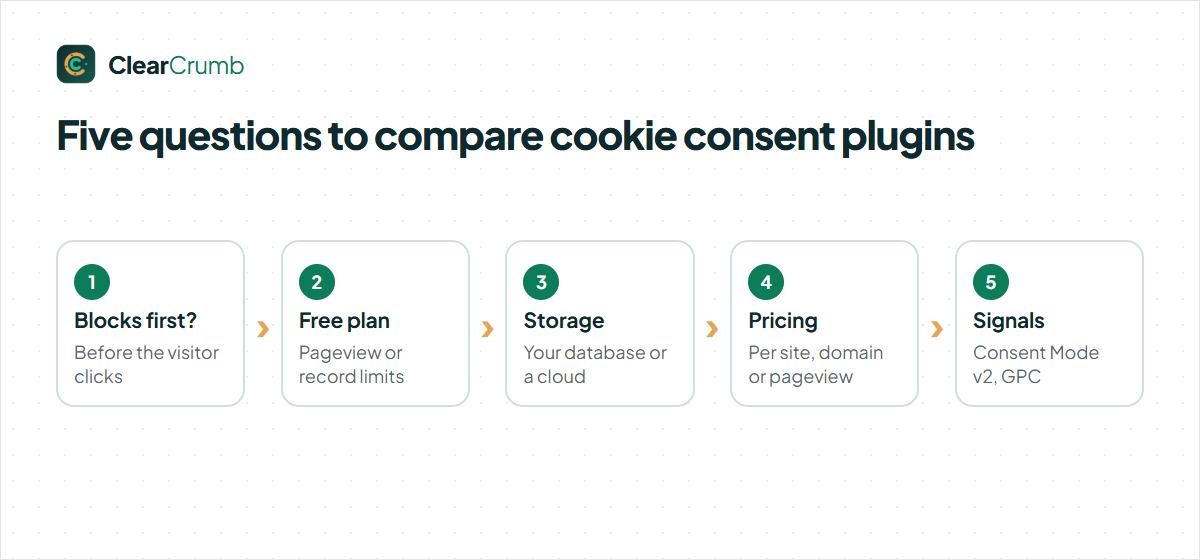
Feature lists are long and look alike. When you compare cookie consent plugins, five questions sort them faster than any table:
- Does it block before consent? A banner that loads Google Analytics first and asks later does not meet GDPR opt-in.
- What does the free plan really include? Look for limits on pageviews, consent records, scans or languages.
- Where is consent stored? In your WordPress database, or in the vendor’s cloud?
- How is it priced? Per site, per domain or per pageview. The model decides what you pay as you grow.
- Does it send Consent Mode v2 and honour GPC? Without them, ads and US privacy laws become extra work.
The table above answers these for ClearCrumb, Complianz, CookieYes, Cookiebot and Borlabs Cookie. The sections below explain how to compare cookie consent plugins on each point yourself.
Compare cookie consent plugins on the free plan first
Most sites start free and many stay free, so the free plan is the fairest place to compare cookie consent plugins. Check four limits:
- Pageviews. Some cloud tools stop showing the banner, or stop logging, after a monthly pageview cap.
- Consent records. Some free plans keep records for a few days, or not at all.
- Scans. A scanner that only checks a handful of pages misses scripts on the rest.
- Signals. Consent Mode v2 or GPC behind a paid plan means paying just to keep ads working.
ClearCrumb’s free plugin has no pageview limit, keeps the consent log as long as you choose, scans up to 50 pages per run and includes Consent Mode v2, Microsoft UET and GPC.
Compare cookie consent plugins by where the data lives
A WordPress plugin can keep everything in your own database. A cloud service keeps the banner settings, the scan results and often the consent records on its own servers. Both can be lawful, but they are different. With a cloud tool you add another processor to your privacy policy and depend on its uptime for every page load.
When you compare cookie consent plugins, ask what still works if the vendor’s service is down, and where a visitor’s consent record would come from if a regulator asked. ClearCrumb needs no account and sends no visitor data to us; the record is in your database.
Compare cookie consent plugins by total cost
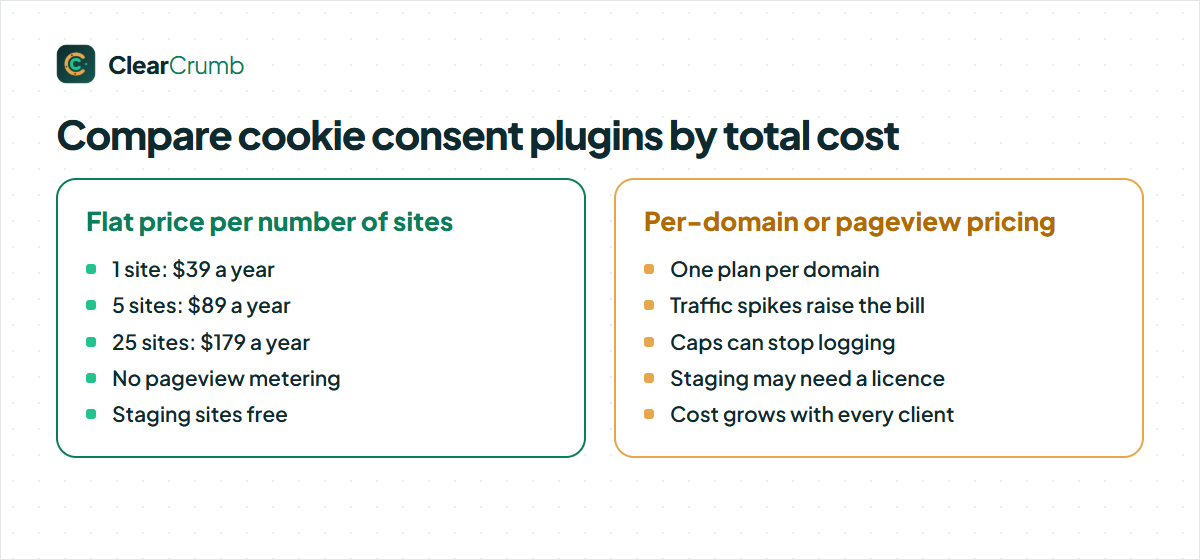
Pricing models hide the real cost. A per-domain plan looks cheap for one site and expensive for twenty-five. A pageview plan looks cheap until a post goes viral. To compare cookie consent plugins honestly, work out three numbers: the yearly cost for 1 site, 5 sites and 25 sites, at your real traffic.
ClearCrumb Pro is a flat yearly price per number of sites, with no pageview metering and free staging sites: $39 for 1 site, $89 for 5, $179 for 25 and $349 for 100. The free plugin costs nothing at any traffic. The prices of the other plugins in the table come from their public pricing pages and are dated, because vendors change them.
Test before you buy: compare cookie consent plugins on your own site
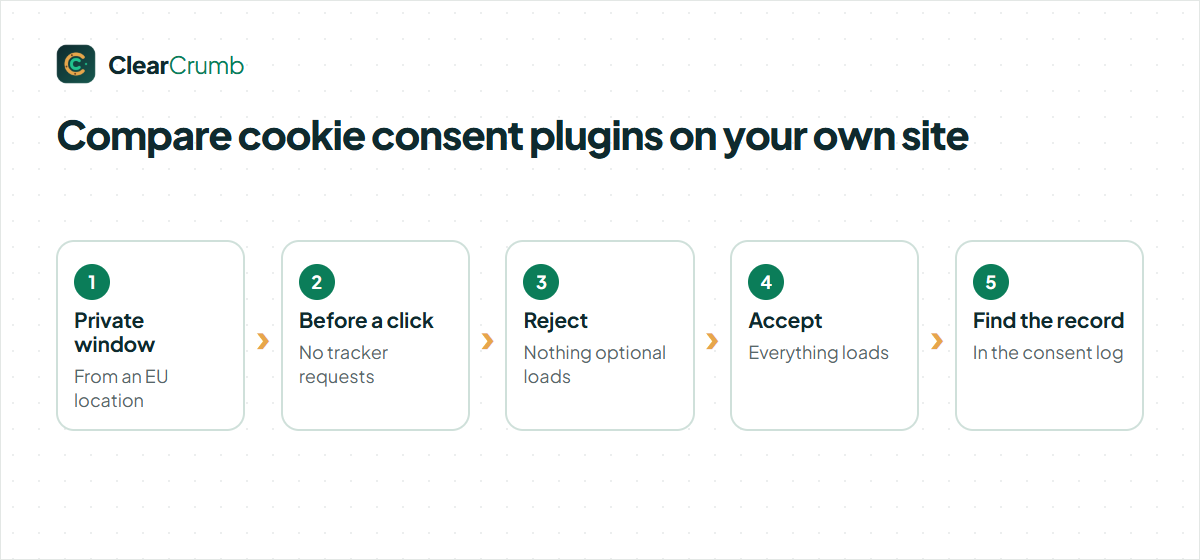
The only comparison that counts is the one on your site. Install the plugin on a staging copy and check:
- Open the site in a private window from an EU location. Before you click, open the browser’s network tab: no analytics, ads or pixel requests should appear.
- Click Reject. Nothing optional should load, and the choice should stay on the next page.
- Click Accept on a fresh visit. Everything should load, and Consent Mode should show granted.
- Look for the record of each choice in the admin.
ClearCrumb’s Leak Test runs steps 1 and 3 for you and lists anything that fires too early. It is the quickest way to compare cookie consent plugins side by side on the same pages.
Switching after you compare cookie consent plugins
If you already run Complianz, CookieYes or Cookiebot, ClearCrumb imports the banner texts, colours, region behaviour, Consent Mode settings and services in one click. Old consent records are not imported; visitors answer once more, which is the clean way to start a new log. The steps are in Import from other plugins, and each rival has its own page: Complianz, CookieYes, Cookiebot and Borlabs Cookie.
Compare cookie consent plugins on blocking quality
Blocking is where plugins differ most, and it is invisible in screenshots. Some tools only block scripts they recognise by name; others rely on you to change every tag by hand. A few load the tracker first and then ask, which defeats the purpose of opt-in.
When you compare cookie consent plugins, look at three details: whether inline scripts and iframes are blocked as well as script files, whether embedded videos and maps get a placeholder instead of a silent request, and whether the blocking survives page caching. ClearCrumb rewrites scripts, iframes and tracking stylesheets on the server for 155 known services, shows local placeholders for YouTube, Vimeo and Google Maps, and does it the same way for every visitor, so cached pages stay correct.
Compare cookie consent plugins on Consent Mode v2
If you run Google Ads or GA4 for EEA visitors, Consent Mode v2 is not optional. Check that the plugin sets the default state before the first Google tag, updates it on every choice, supports both basic and advanced mode, and passes the two newer parameters, ad_user_data and ad_personalization.
Also check Microsoft: UET Consent Mode matters if you advertise on Bing. To compare cookie consent plugins fairly here, open Google Tag Assistant on each test site and watch the consent state change when you click. ClearCrumb sends both Google and Microsoft signals in the free plugin and pushes every choice to the dataLayer for Tag Manager.
Compare cookie consent plugins on speed and caching
A consent banner loads on every page for every visitor, so its weight adds up. Some cloud banners load a script from another domain, then the banner, then a translation file, before the page can settle. That costs Largest Contentful Paint and can cause layout shift.
To compare cookie consent plugins on speed, run Lighthouse on the same page with each one and look at Total Blocking Time and the number of third-party requests. ClearCrumb keeps its banner code under 10 KB, loads it from your own site and keeps it out of cache-plugin minify steps that break consent. On clearcrumb.com itself the banner runs with a Lighthouse performance score in the nineties on mobile.
Compare cookie consent plugins on accessibility
The banner is the first thing many visitors meet, and a banner that a keyboard or screen reader user cannot close blocks the whole site. When you compare cookie consent plugins, tab through the banner without a mouse, check that focus stays inside a modal and returns afterwards, and run an automated check such as axe.
Contrast matters too: a light grey Reject link next to a bright Accept button fails accessibility and the equal-choice rule at once. ClearCrumb checks every style against WCAG 2.2 AA and keeps Reject and Accept at the same weight; the details are on the accessibility page.
Compare cookie consent plugins on languages and US laws
A site with visitors from several countries needs the banner in their language and the right rule for their region. Check how many languages ship ready-made, whether right-to-left languages work, and whether the plugin cooperates with WPML, Polylang or TranslatePress.
For the United States, more than a dozen state laws now give people a right to opt out, and several require you to honour Global Privacy Control. To compare cookie consent plugins here, test with GPC switched on in your browser and see whether the site respects it without a click. ClearCrumb has 16 banner languages, mirrored Arabic and Hebrew layouts, region rules for the EU, UK and US, and honours GPC automatically.
A scorecard to compare cookie consent plugins
Give each plugin one point per line and test them on the same staging site:
- Blocks scripts, iframes and stylesheets before consent
- Placeholders for video and maps
- Reject as easy as Accept, nothing pre-ticked
- Consent Mode v2 and Microsoft UET
- Global Privacy Control honoured
- Consent log you own, with export
- Scanner and a leak test
- Works with your cache plugin
- Keyboard and screen reader friendly
- No pageview limit on the free plan
Ten points is the bar we built ClearCrumb to clear. Use the same list to compare cookie consent plugins and keep the one that scores highest on your own pages.
Write the scores down with the date of the test. Plugins change, and a dated scorecard lets you compare cookie consent plugins again in a year and see what moved.
Compare cookie consent plugins on support and updates
Consent rules change, and so do Google’s and Microsoft’s requirements. A plugin that was fine last year can fall behind. When you compare cookie consent plugins, look at how often each one is updated, how quickly the support forum gets answers and whether the changelog explains what changed.
Also check the exit: can you export your settings and your consent records if you leave? A tool that keeps your data in its own cloud makes leaving harder. ClearCrumb is free software under the GPL, keeps everything in your WordPress database, exports settings as JSON and the log as CSV, and lists every release in the changelog. Free support runs on the WordPress.org forum; Pro adds email support on working days. These points are easy to overlook when you compare cookie consent plugins, and they matter most a year later.
Compare cookie consent plugins: questions
What is the best way to compare cookie consent plugins?
Check the free plan’s limits, where consent is stored, the pricing model and the signals it sends, then run a leak test on your own site. A feature list alone does not tell you whether scripts are blocked.
Is a free plugin enough for GDPR?
It can be, if it blocks before consent, makes rejecting as easy as accepting and keeps a record. The UK ICO’s cookie guidance is a clear summary of what the law expects. ClearCrumb is not legal advice.
How often are the prices on this page checked?
The table shows the date of the last check. If a vendor changes its prices, tell us through the contact form and we update the page.
Which questions matter most when I compare cookie consent plugins?
Blocking before consent and the limits of the free plan. Everything else is easier to fix later.
Can I compare cookie consent plugins without removing my current one?
Yes. Test on a staging copy of your site, and keep the current plugin live until you are happy with the result.
The fastest way to compare is to try it.
Free on WordPress.org. Import your current settings in one click.