A cookie banner that shows but does not block is the most common consent mistake on WordPress sites. The banner says “we use cookies” and asks for permission, while Google Analytics, a Meta Pixel or a YouTube embed have already loaded in the background. A cookie banner leak test is the simple check that finds this: load your pages as a visitor who has not answered yet, and list everything that connects to a third party. This guide shows how to run that test by hand, how to run it with ClearCrumb, and how to fix what you find.
In this article
Why cookie banners leak
A banner is only a notice until something stops scripts from running. Plenty of sites install a consent plugin, see the banner on the front page, and assume the job is done. In practice, trackers get onto a WordPress page in many ways, and not all of them go through the plugin that controls consent:
- Hard-coded snippets. A developer pasted the Analytics or Pixel code into the theme’s
header.phpyears ago, or into a “header scripts” field in the theme options. - Plugins that add their own scripts. SEO, chat, form, popup and social plugins often load third-party code on every page, without any connection to your consent tool.
- Embeds. A YouTube video, a Google Map or an Instagram post loads from the provider’s server the moment the page opens, unless it is replaced by a placeholder.
- Tag managers. One container can start many tags, and tags added later by a marketing person may not respect consent.
- Fonts and CDNs. Google Fonts requested directly from Google send the visitor’s IP address to a third party before any choice.
- Scripts added by other scripts. A blocked script is not enough if another script injects it a moment later.
The banner itself can be perfectly fine and still sit on top of all of this. That is why the only reliable cookie banner leak test is to look at what actually happens in the browser.
How to run a cookie banner leak test by hand
You can do a basic cookie banner leak test with nothing but your browser. It takes about ten minutes for a small site:
- Open a private window. This gives you a clean state with no saved consent and no cookies from earlier visits.
- Open the developer tools (F12) and switch to the Network tab. Tick “Preserve log” and “Disable cache”.
- Load your front page and do not touch the banner. Wait until the page has settled.
- Look at the requests to other domains. Filter the list, for example by typing
google,facebook,doubleclick,hotjaroryoutubeinto the filter box, or sort by domain. - Check the cookies. In the Application (or Storage) tab, open Cookies for your domain and look at what was set before you answered. Names like
_ga,_fbpor_gcl_auare marketing or statistics cookies. - Repeat on a few more pages. Try a blog post, a contact page and a page with a video or map.
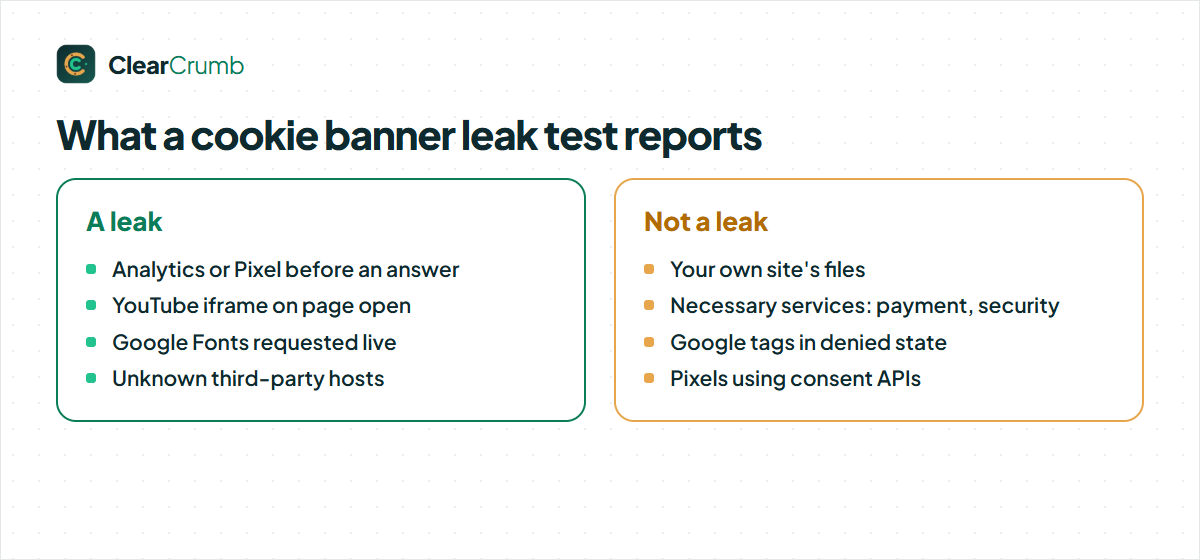
Everything optional that loads before you answer is a leak. Necessary requests, such as your own site’s files or a payment provider on the checkout, are fine.
Doing a cookie banner leak test by hand has limits. You can only test the pages you remember to open, a long network log is hard to read, and it is easy to miss a script that is injected after a second or two. It is a good first look; it is not a regular check.
What leaks most often, and the fix
| What you see | Where it usually comes from | Fix |
|---|---|---|
Requests to googletagmanager.com or google-analytics.com |
Snippet in the theme, a header-scripts field, or an analytics plugin | Block the service until consent, or remove the hard-coded copy |
Requests to connect.facebook.net or facebook.com/tr |
Meta Pixel from a plugin or a tag manager | Block until marketing consent, or use the Pixel’s consent API |
Requests to youtube.com or vimeo.com on page load |
Video embeds | Show a local placeholder with a “Load” button |
Requests to fonts.googleapis.com |
Theme or page builder loading Google Fonts live | Serve the fonts from your own server |
| Unknown third-party domains | Chat, popup, reviews or A/B testing plugins | Identify the service, then block it or replace it |
A cookie banner leak test with ClearCrumb
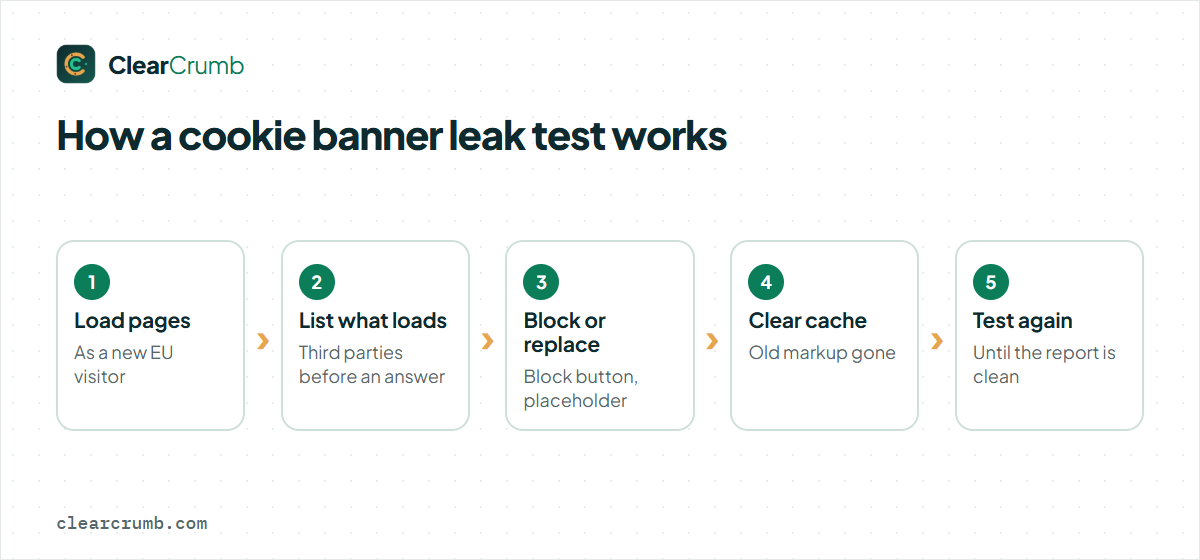
ClearCrumb has a cookie banner leak test built in, so you do not have to read network logs. It loads up to 15 of your pages twice, with blocking switched on:
- As a brand-new EU visitor who has not answered. Anything optional that loads here is a leak.
- After “Accept all”. This shows what visitors get once they agree, so you can check that services work again.
The cookie banner leak test ignores your own saved choice, so you do not need a private window. The report lists three things: leaks (listed services that loaded before consent), unknown hosts (third-party addresses that ClearCrumb does not recognise, which may be fonts, CDNs or trackers), and the services that were held back correctly. Google tags running in advanced Consent Mode and pixels using consent APIs are shown as “denied” and not as leaks, because they run without cookies until consent.
To run the cookie banner leak test, open the ClearCrumb dashboard and choose the Leak Test. The Leak Test documentation walks through the report. The result also feeds your Compliance Score: a clean cookie banner leak test is worth 20 of the 100 points, more than any other single check.
Fixing what a cookie banner leak test finds
Most leaks fall into three groups, and each has a straightforward fix.
A known service loads too early
ClearCrumb recognises 155 common services. For a leak in this group, the report shows a Block button. Clicking it adds the service to the list of things that wait for consent in its category, and the script blocking takes over: the tag is rewritten so the browser does not run it, and it is released in its original order after the visitor agrees.
An embed loads on page open
YouTube, Vimeo and Google Maps get a local placeholder with a “Load” and an “Always allow” button, so there is no request to the provider before consent. If an embed is not covered, wrap it with the data-cc-category attribute described in the developer docs, or replace it with a plain link to the video.
An unknown host appears
Do not guess. Search the domain, find which plugin or theme feature loads it, and decide: block it, keep it as a necessary service if it really is one (for example a payment or security provider), or remove the feature. Then run the cookie banner leak test again.
After each fix, clear your page cache and run the cookie banner leak test again. A cached page can keep serving the old markup for a while, which makes a fixed leak look unfixed.
How blocking keeps a script quiet until consent
It helps to know what “blocked” means, because it explains why some fixes work and others do not. A script tag normally runs the moment the browser meets it. To hold it back, a consent tool changes the tag before the browser sees it: the script gets a type that browsers do not run (text/plain) and a note about the category it belongs to. Iframes keep their address in a data attribute instead of loading it.
When the visitor agrees to a category, the tool puts the original tags back, in their original order, so that dependent scripts still work. If a script is added to the page later by another script, a small guard in the page head catches it. If the visitor withdraws a “yes”, the page reloads so that the code stops running.
This only works on markup the tool can see. A tracker that is loaded by a service you did not list, or one that a plugin prints late in the footer through a path the tool does not know, slips through. That is exactly what the “unknown hosts” part of a leak report is for.
A worked cookie banner leak test example
Take a small agency site with a contact form, a blog and an embedded YouTube video on the home page. The owner installed a banner last year and has never tested it. A first cookie banner leak test shows this:
| Before | Finding | After the fix |
|---|---|---|
| Google Analytics | Loaded from a snippet in the theme, before any answer | Snippet removed; the analytics plugin is blocked until Statistics consent |
| YouTube | Iframe loaded on page open | Local placeholder with a “Load” button |
| Google Fonts | Requested live from Google by the theme | Fonts served from the site’s own server |
| Unknown host | A chat widget from a plugin nobody remembered | Plugin deactivated; the site never needed it |
Four findings from one cookie banner leak test, none visible in the banner. The fixes took less than an hour, and a second run came back clean. The point of the example is the shape of the work: the problems are rarely in the banner and almost always in what was added around it.
A short checklist
- Run the cookie banner leak test as a new visitor, with no saved choice, on at least five different page types.
- Write down every third-party domain that appears before you answer, and name the plugin or theme feature behind it.
- Block, replace or remove each one; do not leave a “probably fine” on the list.
- Clear your page cache and repeat the cookie banner leak test until the report is clean.
- Keep the result and the date, so you can show what you checked and when.
Make the cookie banner leak test a habit
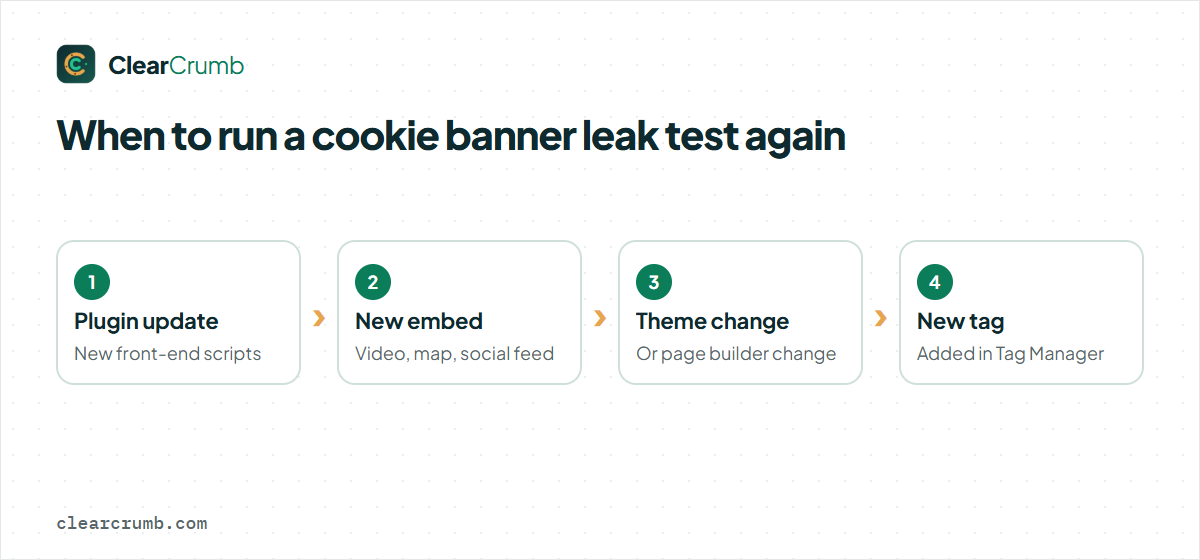
A site that passes today can leak next month. Every plugin update, new embed, marketing pixel or theme change can add a request. Run the cookie banner leak test after you:
- install or update a plugin that adds something to the front end,
- add a video, map or social feed,
- change the theme or page builder,
- add a tag in Google Tag Manager.
Make the test part of your normal release routine, in the same way you would check that the checkout still works after an update. Ten minutes after a change is cheaper than finding out from a complaint.
The free plugin runs the cookie banner leak test on demand. ClearCrumb Pro runs it every week and emails you when something fires before consent, so you hear about a leak before a visitor or a regulator does. See the pricing page for the plans.
Frequently asked questions
How many pages should a cookie banner leak test cover?
As many different page types as you have: home, a post, a product or service page, the contact page and one with an embed. ClearCrumb tests up to 15 pages per run. Pages built with the same template tend to behave the same.
Is a request to my own domain a leak?
No. A cookie banner leak test is about third parties. Your own scripts and styles are not tracking, unless they set statistics or marketing cookies.
Why does the cookie banner leak test still show a leak after I blocked the service?
Most often a page cache is serving the old HTML, or a second plugin or the theme loads the same service a different way. Clear the cache and test again; if it remains, search the theme and plugins for the domain.
Do necessary cookies show up as leaks?
No. Services in the Necessary category, such as security or payment scripts, are never blocked and are not reported as leaks.
Can I test a site that is behind a login?
The free plugin scans pages that a normal visitor can open. Scheduled scans of logged-in areas are part of ClearCrumb Pro.
Summary
A banner without blocking is a notice. To find out which one you have, load your site as a new visitor and look at what connects to third parties before any answer. Do it by hand in the Network tab for a first look, or let a cookie banner leak test do it for every page type. Fix what leaks by blocking the service, putting embeds behind a placeholder, or removing the feature, then test again. For a deeper background on why consent must come first, the UK regulator’s guidance on storage and access technologies is a clear read, and ClearCrumb’s feature list shows what the free plugin includes.