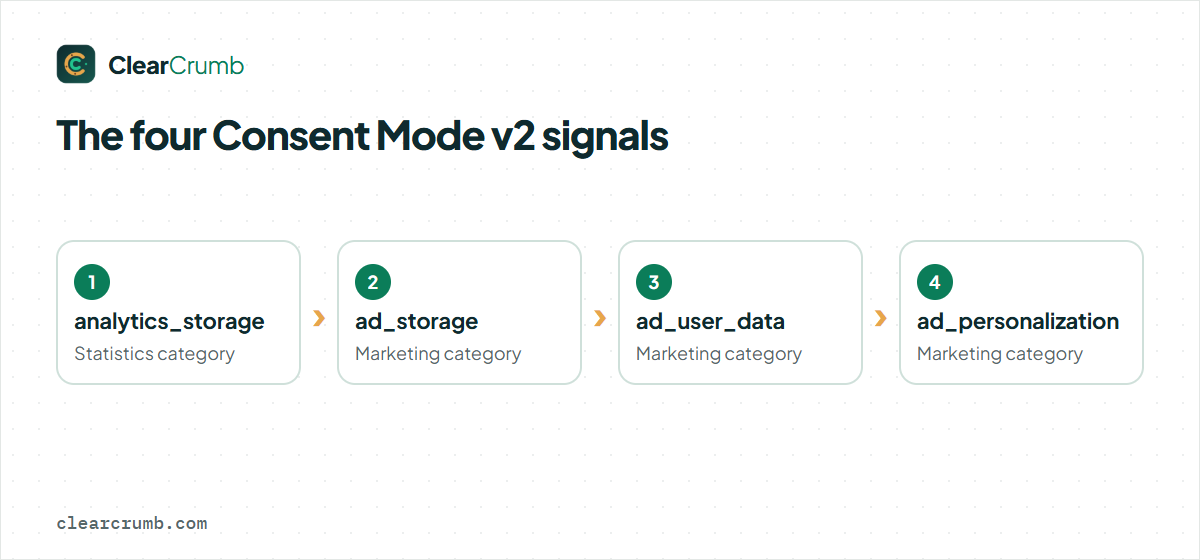
Google Consent Mode v2 is a way to tell Google tags what your visitor agreed to, using four signals: ad_storage, analytics_storage, ad_user_data and ad_personalization. If you run Google Ads or Google Analytics for visitors from the EEA or the UK, Google expects it. This guide explains what each part does, which mode to choose, and how to set it up on WordPress without breaking your analytics.
In this article
What Google Consent Mode v2 actually does
Consent Mode v2 is a small set of signals that your site sends to Google tags. They say, in plain terms, “this visitor allowed analytics” or “this visitor refused advertising cookies”. The Google tags on the page then change how they behave. With consent they work as usual. Without it they either stay silent or send limited pings that carry no cookies and no identifiers.
Before version 2, there were only two signals, ad_storage and analytics_storage. Version 2 added two more for advertising, so that Google can tell whether user data may be sent for advertising and whether it may be used for personalisation. Since early 2024, Google asks for all four when you use Ads features such as remarketing or conversion measurement for visitors in the European Economic Area and the UK.
Consent Mode v2 is not a cookie banner and it does not collect consent by itself. Your banner collects the answer; Consent Mode v2 passes that answer on to Google. That is why the two have to be set up together, and why the order in which they load matters (more on that below).
The four signals in one table
| Signal | What it controls | Typical banner category |
|---|---|---|
analytics_storage |
Whether Google Analytics may read and write its cookies, such as _ga. |
Statistics |
ad_storage |
Whether advertising cookies may be stored, for example by Google Ads. | Marketing |
ad_user_data |
Whether user data may be sent to Google for advertising purposes. | Marketing |
ad_personalization |
Whether data may be used for personalised advertising and remarketing. | Marketing |
Each signal is either granted or denied. A good banner maps its categories to these signals for you. In ClearCrumb, the Statistics category drives analytics_storage and the Marketing category drives the three advertising signals.
Basic or advanced mode: which one should you pick?
There are two ways to implement Consent Mode v2, and the difference is what happens before the visitor answers.
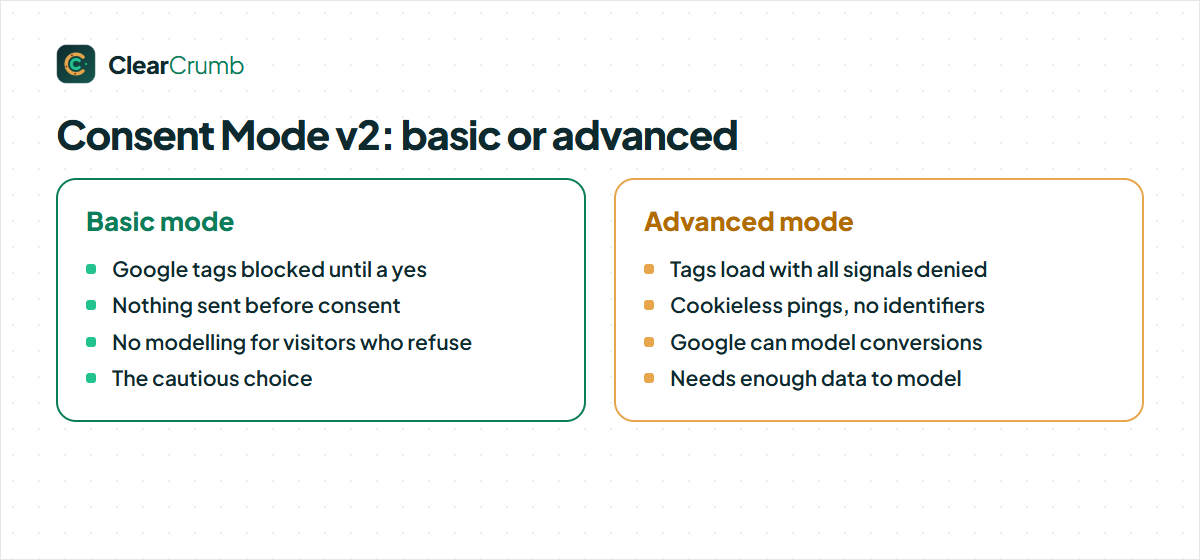
Basic mode blocks Google tags completely until the visitor agrees. Nothing reaches Google before a “yes”. It is the cautious option. The price is data: visitors who say no are invisible, and Google can only model conversions from general patterns on your site.
Advanced mode loads the Google tags straight away, with every signal set to denied. The tags then send cookieless pings that contain no identifiers. Google uses those pings to model the conversions and sessions it cannot observe. When the visitor agrees, the tags switch to normal behaviour.
| Mode | Before consent | After a “yes” | Good for |
|---|---|---|---|
| Basic | Google tags are blocked; nothing is sent. | Tags load and work normally. | Sites that want the strictest reading of consent rules. |
| Advanced | Tags load in “denied” state and send cookieless pings. | Tags switch to full measurement. | Sites that rely on Google’s conversion modelling. |
Which one is right depends on how you read the law and on your data protection advice. Some regulators look critically at any ping that leaves the browser before a choice is made, even a cookieless one. Others accept it. If you are unsure, start with basic mode. You can switch to advanced later with one setting, and nothing else on the site has to change.
Modelling also has conditions. Google only models conversions once a property has enough volume, and its documentation lists the thresholds. A small site with a few hundred visits a day will often not reach them, in which case advanced mode brings little extra data and basic mode costs you almost nothing.
Why the order of loading matters for Consent Mode v2
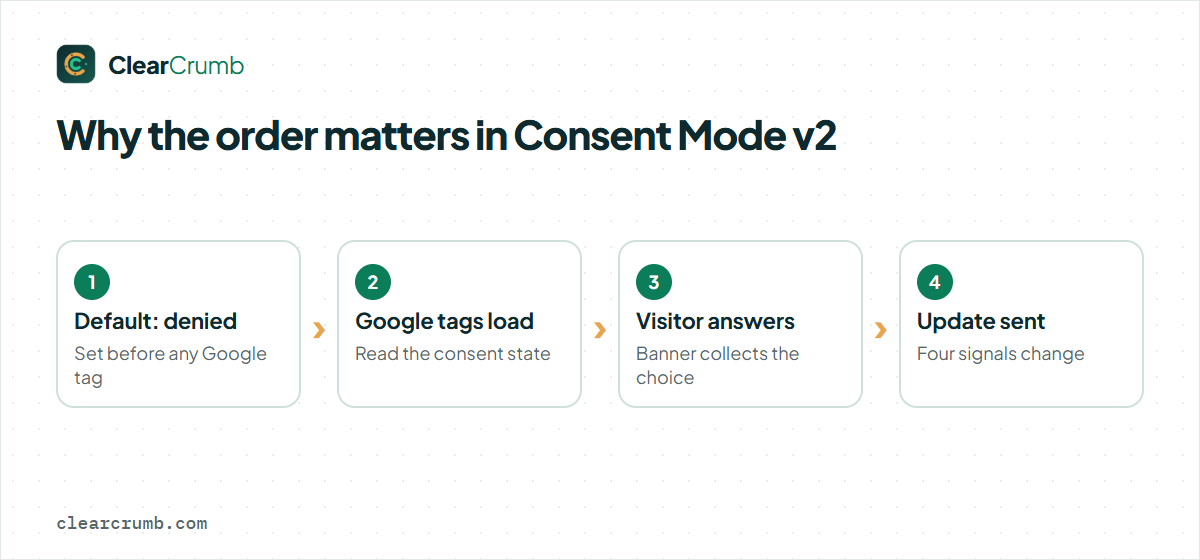
The most common mistake is timing. The default state, “denied” for a new EU visitor, must be set before any Google tag runs. If Google Analytics or Tag Manager loads first, it fires with no consent state at all, and the first hit is either lost or sent with cookies it should not have set.
Two things follow from this:
- The consent default has to be printed in the page head, as early as possible, before the Tag Manager or gtag snippet.
- An optimisation plugin must not delay or reorder that script. Minify-and-defer features are the usual culprits, which is why a consent plugin should tell your cache and optimisation plugins to leave its files alone. ClearCrumb does this automatically for WP Rocket, LiteSpeed Cache, Autoptimize and SiteGround Optimizer; see the cache plugin guide.
A default call looks like this. You do not need to write it yourself when you use a consent plugin, but it helps to know what the plugin does:
gtag('consent', 'default', {
  ad_storage: 'denied',
  analytics_storage: 'denied',
  ad_user_data: 'denied',
  ad_personalization: 'denied',
  wait_for_update: 500
});
The wait_for_update value gives the banner 500 milliseconds to load a returning visitor’s saved choice before tags decide what to do. When the visitor answers, an update call sends the new state.
Setting up Consent Mode v2 with ClearCrumb
- Install and run the wizard. The setup wizard scans your site and lists the services it finds. Google Analytics, Tag Manager and Google Ads are recognised automatically. See getting started if you have not done this yet.
- Open the consent signals. Go to ClearCrumb → Services & cookies → Consent signals. Consent Mode v2 is already on, in basic mode.
- Choose advanced mode if you want modelling. The same card has the switch.
- Turn on the two helpers if you use Google Ads. Switch on Redact ad click IDs while ad consent is denied, which removes ad click identifiers while ad storage is denied, and Pass ad click info through links while cookies are denied (URL passthrough), which keeps click information in links instead of in cookies, so campaign attribution survives a “no”.
- Run the Leak Test. In advanced mode, Google tags show as “denied” (running without cookies), not as leaks. Everything else should be clean. The Leak Test guide explains the report.
Behind the scenes, ClearCrumb sets the default state before any Google tag runs, sends an update on every choice, and pushes a clearcrumb_consent event to the dataLayer for Google Tag Manager. The full reference is on the Consent Mode v2 documentation page.
If you also use Microsoft Advertising or Clarity, the same card has a switch for Microsoft UET consent and the Clarity consent signal. For the Meta Pixel and TikTok, the pixel consent APIs run the pixel in a revoked state until the visitor agrees to marketing.
What changes if you use Google Tag Manager
With Tag Manager, you have two choices. You can let the banner set the Consent Mode v2 state and rely on Tag Manager’s built-in consent checks for Google tags. Or you can use the clearcrumb_consent event as a trigger for tags that should only fire after a choice.
Whichever you choose, keep one rule: only one place sets the consent default. If both your banner and a Tag Manager template set it, the later call wins and the result is hard to debug. Pick the banner as the single source of truth, and use Tag Manager’s consent overview to confirm that each tag has the consent type it needs.
How to check that Consent Mode v2 works
Do not trust the settings page alone. Check three things in a fresh browser window with no saved choice:
- Google Tag Assistant. Open your site in Tag Assistant and look at the Consent tab. For a new EU visitor, the default should show all four signals as denied. After you click “Accept all”, an update should switch them to granted.
- The network tab. In basic mode, you should see no request to Google Analytics or Google Ads before you answer. In advanced mode, you may see cookieless requests, and no cookies named
_gaor similar until you accept. - Your Google Ads and Analytics diagnostics. Both have a page that reports whether Consent Mode v2 is detected. It can take a day or two to show up.
Expect GA4 to show fewer users than before. That is the point of consent: visitors who say no are no longer counted by cookies. If the drop looks extreme, check that the banner is not covering a key button on mobile and that the default state is not blocking your own tags for returning visitors who already said yes.
What to say in your banner and cookie policy
Consent Mode v2 changes what is sent, so your texts should describe it honestly. A banner that says “no data leaves your browser until you accept” is only true in basic mode. In advanced mode, cookieless pings can reach Google before the answer, and the cookie policy should say so in plain words.
A short, accurate sentence is enough: which Google services run, what they receive before and after a choice, and where the visitor can change their mind. ClearCrumb generates the cookie policy page from the services it found on your site, so it stays in line with the settings you chose. If you change the mode, read the policy again.
When you also serve ads
Consent Mode v2 is what Google needs to measure conversions and build audiences from consented visitors. It is not the same as the IAB Transparency and Consent Framework (TCF). Publishers who sell ad space through Google AdSense or Ad Manager to EU visitors usually need a consent management platform that supports TCF and is certified by Google. ClearCrumb does not support TCF yet, so if that is your case, check Google’s current requirements before you choose a tool.
For the more common case, a business site or shop that runs Google Ads and Analytics for its own marketing, Consent Mode v2 with a banner that blocks scripts until consent is the setup Google describes. WooCommerce stores can add the checkout consent and lost-conversion reporting from ClearCrumb Pro, but the base setup above is the same.
Common Consent Mode v2 mistakes
| Mistake | What happens | Fix |
|---|---|---|
| Tag Manager or gtag loads before the consent default | The first hit has no consent state; cookies may be set. | Print the default first and keep optimisation plugins from reordering scripts. |
| Two plugins both set Consent Mode v2 | Conflicting states, unpredictable data. | Keep one source of truth and switch the other off. |
| Only two signals are sent | Ads features for the EEA and UK stop working properly. | Send all four signals; a current consent plugin does. |
| Banner texts promise something the setup does not do | “We do not track you” next to an advanced-mode ping. | Describe what actually happens in your cookie policy. |
Frequently asked questions
Do I need Consent Mode v2 if I do not run ads?
If you only use Google Analytics and no advertising features, Consent Mode v2 is optional. It is still useful, because it gives Analytics a clean way to respect the visitor’s choice. It becomes required in practice as soon as you use Google Ads features such as remarketing for visitors in the EEA or the UK.
Is advanced mode legal?
That is a question for your lawyer and your data protection authority. Advanced mode sends cookieless pings before a choice is made. Some regulators accept that, others are stricter. Basic mode is the conservative choice.
Will Consent Mode v2 fix a missing cookie banner?
No. Consent Mode v2 only passes on an answer. It does not ask the question. You still need a banner that collects consent and blocks other scripts until it is given.
Does it work with Google Tag Manager and GA4 together?
Yes. The banner sets the consent state once, and both Tag Manager and Analytics read it. Use the Consent tab in Tag Assistant to confirm.
Why did my Analytics numbers drop?
Because visitors who refuse are no longer counted by cookies. In advanced mode Google may model part of the difference, once your property has enough data.
Summary
Google Consent Mode v2 is four signals, sent in the right order. Choose basic mode if you want the strictest reading and do not depend on modelling; choose advanced mode if you do. Make sure the default is set before any Google tag runs, keep a single source of truth, and verify with Tag Assistant instead of trusting a settings page. With ClearCrumb, all of this is in the free plugin. For the official reference, Google documents the signals in its Consent Mode v2 guide for developers, and the comparison page shows how the free plugins differ.