ClearCrumb is a free Cookiebot alternative for WordPress with no subpage limit, consent records stored on your own site and a flat Pro price instead of per-domain plans. Pick it if your site has more than a handful of pages or you run several sites. Stay with Cookiebot if you want its cloud scanner across non-WordPress sites or need IAB TCF today.
In this article
Cookiebot alternative: the short answer
Cookiebot is one of the best-known consent platforms and it is a capable one. This page is a plain Cookiebot alternative comparison from the makers of ClearCrumb, so read it with that in mind. Facts about Cookiebot come from its public pricing page and WordPress.org listing, checked in October 2026.
The two products take different approaches. Cookiebot is a cloud platform: its scanner crawls your site on a schedule, the banner configuration and consent records live in your Cookiebot account, and pricing depends on how many subpages your domain has. ClearCrumb is a WordPress plugin that keeps everything on your site and charges nothing for the core features.
If you are weighing a Cookiebot alternative, the table below answers the questions people ask most often.
| Question | ClearCrumb (free) | Cookiebot |
|---|---|---|
| Free plan limit | Unlimited pages and visits | Small sites only (about 50 subpages) |
| Account needed | No | Yes, a Cookiebot account |
| Where the consent log lives | Your WordPress database | Cookiebot cloud |
| Script blocking before consent | Yes, 155 services | Yes |
| Google Consent Mode v2 | Yes, basic and advanced | Yes |
| Scheduled scans | Pro | Yes |
| Leak Test and Compliance Score | Yes | No |
| IAB TCF | Not yet | Yes |
| Pricing model | Free; Pro flat per site count | Per domain, by subpages |
What Cookiebot does well, and when a Cookiebot alternative is not needed
Cookiebot has been on the market for years and has a strong reputation, especially in Europe. Its automatic scanner finds trackers on your pages and keeps the declaration up to date without you doing anything, and its cookie declaration page is a ready-made way to list what your site sets.
It works on any platform, not just WordPress, supports IAB TCF, and offers multi-language banners and a dashboard with consent statistics. For an organisation with a mix of sites and a compliance team that wants one managed service with a vendor to hold accountable, that is a reasonable choice.
The trade-off is cost and control. Plans are priced per domain by subpage count, prices went up in 2025, and the configuration and records live in the vendor’s cloud. For a WordPress site, many of those things can be handled locally and for free.
The free versions: ClearCrumb as a Cookiebot alternative
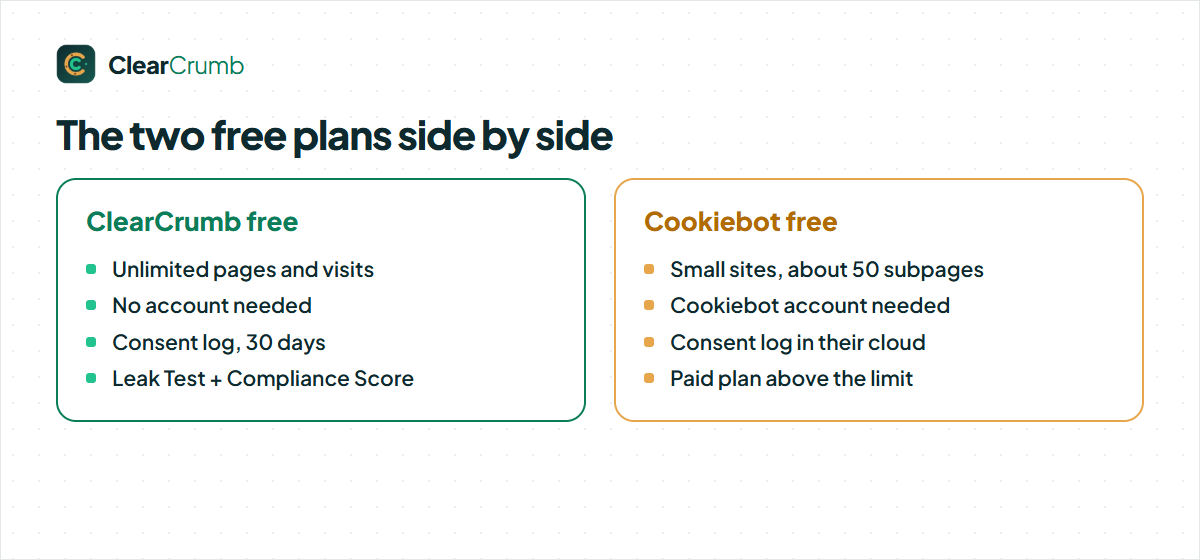
ClearCrumb free has the banner in four layouts, blocking for 155 known services, content placeholders, Consent Mode v2, EU opt-in and US opt-out rules, Global Privacy Control, a consent log in your database, kept as long as you choose, the scanner (up to 50 pages), the Leak Test, the Compliance Score and 16 languages. No account, no limits on pages or visits.
That is what a Cookiebot alternative should mean: the free plugin is the real product, not a time-limited trial.
Cookiebot free is limited to small sites, about 50 subpages, and a single domain. A site that crosses that line moves to a paid plan priced by subpage band. Blogs, shops and sites with many posts or products cross it quickly, so check your own page count before you start.
Scanning and keeping the declaration current
Cookiebot’s headline feature is its scheduled crawl: it visits your site each month and updates the cookie declaration. ClearCrumb’s scanner runs inside WordPress, covers up to 50 pages in the free plugin, and matches what it finds against the built-in service library. Scheduled scans and leak alerts are in ClearCrumb Pro.
For a small, stable site the difference is small: scan after you add a plugin or marketing tool, and again after big changes. For a large site that changes weekly, scheduled scanning is worth paying for in either product.
Cookiebot alternative: script blocking and Google Consent Mode v2
Both hold back optional scripts until consent and both send all four Consent Mode v2 signals. The Consent Mode guide explains basic and advanced mode in ClearCrumb. What ClearCrumb adds is a way to verify the result: the Leak Test loads up to 15 of your pages twice, as a new EU visitor and again after “Accept all”, and lists what loaded early.
A Cookiebot alternative that cannot show you its own blocking leaves you guessing, which is why ClearCrumb includes the Leak Test in the free plugin.
Run a leak test whichever product you choose. The cookie banner leak test guide shows a manual method.
Where your consent records live
Cookiebot stores consent records in its cloud, which is convenient and means you depend on that account for evidence. ClearCrumb writes the log to your own WordPress database: IP addresses are shortened and hashed, consent IDs are hashed, and you can search and export the log. The free plugin keeps records as long as you choose and exports them as CSV; Pro adds PDF proof.
If your records need to stay on your own infrastructure, the local log is simpler to explain in a privacy policy. If you prefer a vendor to hold the evidence for you, a cloud log is a feature, not a flaw.
Cookiebot alternative: three typical sites and what suits them
Because Cookiebot prices by subpage count, the Cookiebot alternative question depends heavily on how big your site is.
A brochure site with 20 pages. Well inside the free band, so cost is not an issue. The choice comes down to preference: a cloud account and a managed scanner, or a plugin that keeps everything in WordPress. For a site this small, ClearCrumb’s import and scanner get you running in a few minutes.
A content site or shop with hundreds of pages. This is where subpage bands start to bite. Every new post or product moves you toward a higher band, so the price of the banner grows with your content. The free ClearCrumb plugin has no subpage limit, and the scanner covers up to 50 pages per run, which is enough to find your services because most pages share the same scripts.
An agency with a mixed portfolio. Cookiebot works on any platform, so it can sit across WordPress, Shopify and custom builds under one account. If most of your clients are on WordPress, ClearCrumb’s flat per-site-count pricing is simpler to budget. The agency page explains the dashboard and the pricing ladder.
The banner your visitors see with a Cookiebot alternative
ClearCrumb’s banner has four layouts (bar, box, centred modal and corner card), a live preview and a colour picker that checks contrast, and the texts are available in 16 languages. Accept and Reject have equal weight by default.
Cookiebot’s banner is configured in its cloud dashboard, with templates, styling options and language support, and its cookie declaration page lists everything the scanner found in your site. Both are capable. The practical difference is where you edit: in the Cookiebot dashboard or inside WordPress.
Check accessibility on whichever you choose. ClearCrumb is built to WCAG 2.2 AA, with keyboard operation, focus management and 200 percent zoom support. A short keyboard-only test on your own theme will show whether anything overlaps the banner.
What ClearCrumb Pro adds, and who needs it
Most people who search for a Cookiebot alternative want to know whether the free plugin is enough. For a single site it usually is. ClearCrumb Pro, which is not on sale yet, is an optional add-on for people who have specific needs the free plugin does not cover:
- Long-term consent records kept for as long as you choose, with signed PDF proof for audits.
- Scheduled scans and leak alerts that email you when a new plugin or tag starts loading before consent.
- Generated documents: a privacy policy and an imprint, written as starting points for you to review.
- Agency tools: one dashboard for every client site, white-label banners and a Compliance Score per site.
- Priority support from the people who build the plugin.
If none of those apply, the free plugin is the whole product. We would rather you stay free and happy than buy something you do not need.
Pricing: what a Cookiebot alternative saves you
Cookiebot lists prices in euros, without VAT, by subpage band, with a published entry price of around €84 a year per domain for a small site, rising with page count; five domains come to roughly €420 or more a year. ClearCrumb Pro, which is not on sale yet, has launch prices of $39, $89, $179 and $349 a year for 1, 5, 25 and 100 sites, with 30 percent off the first year for waitlist members. Staging sites never count.
| Sites | ClearCrumb Pro per year | Cookiebot per year (without VAT) |
|---|---|---|
| 1 site | $39 | From about €84 |
| 5 sites | $89 | About €420 or more |
| 25 sites | $179 | About 25 × the per-domain price |
Choosing a Cookiebot alternative on price alone is a mistake, though. Weigh the features you will actually use, and let the free plugin prove itself on your own site first.
Prices change, so check the Cookiebot pricing page before you decide. Note the currencies differ: Cookiebot in euros without VAT, ClearCrumb in US dollars.
Who should pick a Cookiebot alternative, and who should stay
| If this is you | Pick | Why |
|---|---|---|
| You run sites on several platforms | Cookiebot | It works outside WordPress. |
| You need IAB TCF for ad revenue | Cookiebot (or another TCF tool) | ClearCrumb does not support TCF yet. |
| Your site has hundreds of pages | ClearCrumb | No subpage bands in the free plugin. |
| You want a free banner with blocking and Consent Mode | ClearCrumb | All core features at no cost. |
| You manage many WordPress client sites | ClearCrumb | Flat price per site count. |
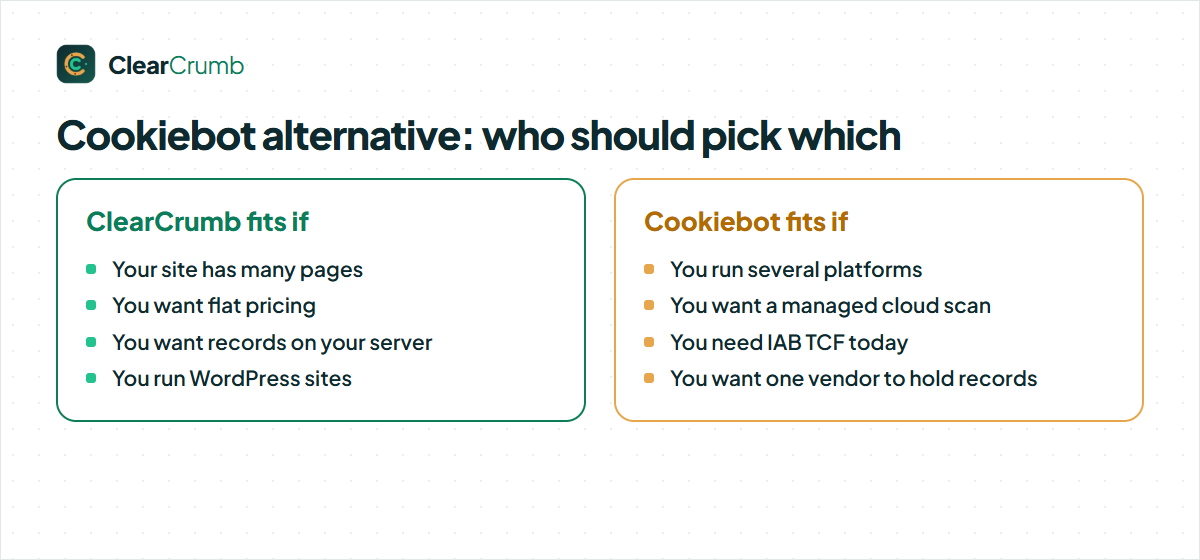
A Cookiebot alternative is a good fit when most of the left column describes you. If the right column does, staying where you are is a perfectly sensible choice.
How to switch from Cookiebot to ClearCrumb
Cookiebot keeps most of its settings in its cloud, so the import is smaller than for plugin-based tools. The scanner does the rest.
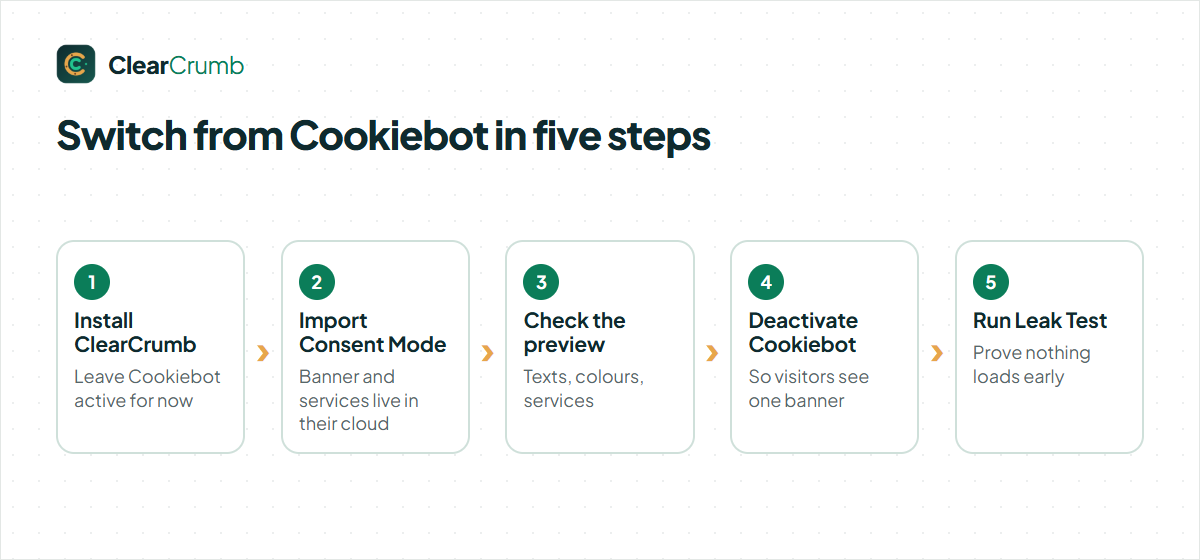
- Install and activate ClearCrumb and leave the Cookiebot plugin active for now.
- Import the Consent Mode settings from the ClearCrumb dashboard.
- Run the ClearCrumb scanner so it matches your services to the library, and choose banner text and colours.
- Deactivate Cookiebot, remove its script if it was added by hand, and clear your page cache.
- Run the Leak Test and confirm nothing optional loads before consent.
That is the whole move to a Cookiebot alternative: install, import, check, switch the old banner off and test.
Export your consent records from the Cookiebot account first if you need them for audits. The import guide lists what is carried across.
Mistakes to avoid when you move to a Cookiebot alternative
These are the problems we see most often after a switch from a cloud service.
- Script left in the header. Cookiebot is often installed as a snippet in the theme or through a tag manager. Deactivating the plugin does not remove a hand-pasted script, so search for it by name.
- Auto-blocking attributes. Scripts tagged for Cookiebot’s auto-blocking keep their markup. Remove or rewrite them so the new plugin manages those tags.
- Cached pages. Clear the page cache and the CDN, then test in a private window.
- No verification. Run the Leak Test or follow the leak test guide; a visible banner proves nothing about blocking.
- Losing records. Consent records live in the Cookiebot account. Export them before you cancel if you need them for audits.
Avoid these five and your move to a Cookiebot alternative should be uneventful.
With that checklist a migration is usually a one-afternoon job.
Questions to ask before you choose a Cookiebot alternative
A comparison page can only go so far. Five questions will settle the decision for your own site faster than any feature table:
- Do I need IAB TCF? If you sell ads to EU visitors through Google, yes, and Cookiebot or another certified tool is the answer today.
- How many sites do I manage? One site rarely justifies a paid plan; twenty sites almost always make the price difference matter.
- Where must the consent records live? If the answer is “on my own server”, pick a plugin that stores them locally.
- Who maintains the setup? If your team prefers a managed cloud dashboard, weigh that against local control honestly.
- Can I test before I pay? Install the free plugin on a staging copy and run the Leak Test. Ten minutes of testing beats an hour of reading.
If you answer those five and still cannot decide, run both plugins on a staging site and compare. That is the only comparison that counts.
Frequently asked questions
How long does it take to move to a Cookiebot alternative?
About fifteen minutes for a typical site: install, import or scan, check the preview, switch the old banner off and run the Leak Test.
Does a Cookiebot alternative make my site GDPR compliant?
A consent plugin helps you meet the consent requirements, but compliance depends on your whole setup: your policies, your processors and what you actually load. Run the Leak Test and ask a lawyer about your own situation.
Is there a free Cookiebot alternative for WordPress?
Yes. ClearCrumb is free on WordPress.org with blocking, Consent Mode v2, geo rules, Global Privacy Control and a consent log, and there are no page or traffic limits.
What can I import from Cookiebot?
The Consent Mode settings. Cookiebot stores the banner and services in its cloud, so run the ClearCrumb scanner after you switch.
Does ClearCrumb support IAB TCF like Cookiebot?
Not yet. TCF is needed mainly by publishers selling ads to EU visitors through Google; if that is you, a TCF-certified tool is the right choice today.
Does ClearCrumb scan my site automatically every month?
The free plugin scans when you ask it to. Scheduled scans and alerts are in ClearCrumb Pro, which is not on sale yet.
Where are consent records stored?
In your own WordPress database. Nothing is sent to ClearCrumb. The free plugin keeps them as long as you choose, and Pro adds PDF proof.
Will visitors have to give consent again after I switch?
Yes, once. Consent is stored per banner, so visitors answer the new banner on their next visit.
Summary
A good Cookiebot alternative is the one that fits how your site is run. ClearCrumb fits WordPress sites that want no page limits, local records and flat pricing. Cookiebot fits organisations that want a managed cloud service across platforms or need TCF. Facts about Cookiebot were checked in October 2026 on its WordPress.org page and pricing page; see all plugin comparisons for the others.